Choosing Will-Executors in the plugin
The plugin downloads the WeList directory by default and tries to use as many Will-Executors as possible. You can also add servers manually, or draw from alternative lists — the WeList makes discovery easier, it does not control access to the network.
The service list window opens from the Electrum menu: Tools → Will-executor.
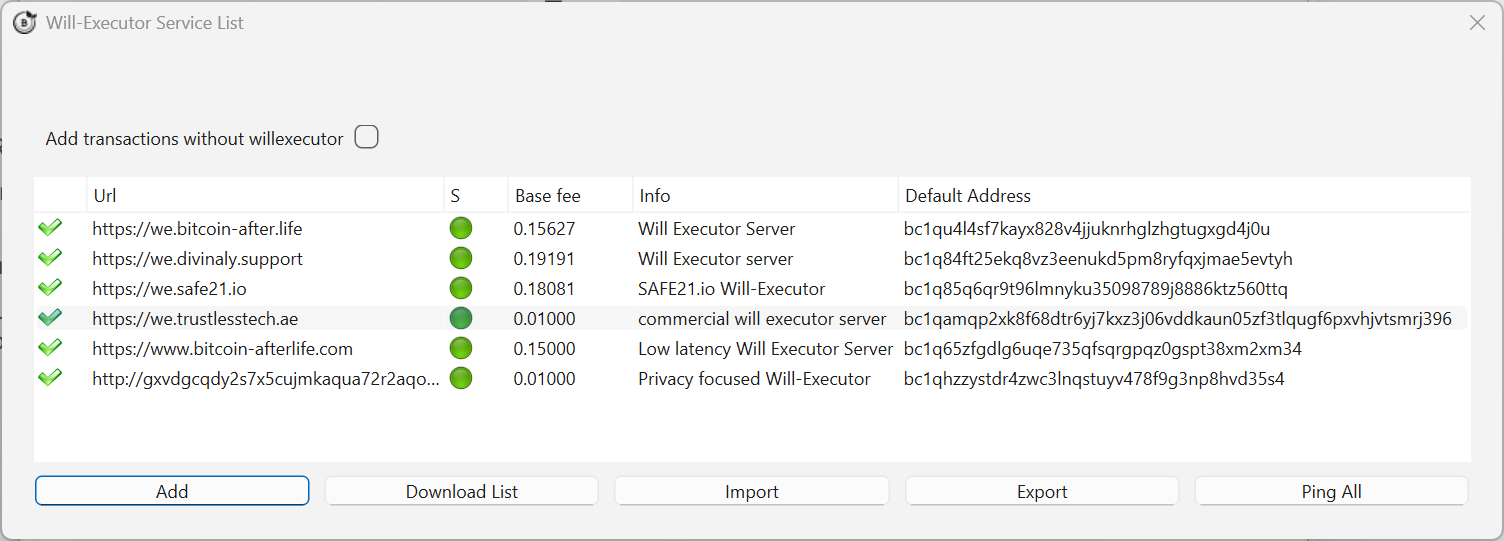 The list of known Will-Executors, with fees and online status.
Columns
| Column | Meaning |
|---|---|
| URL | Address of the Will-Executor |
| Base fee | The commission that server asks, paid only on execution |
| Info | Description or website link |
| Default address | Bitcoin address where the fee will be sent |
| Status | Green dot = server responding |
Commands
| Command | What it does |
|---|---|
| Ping | Checks which servers are online |
| Import | Imports a Will-Executor list other than the default |
| Export | Exports your list — useful when moving to another Electrum installation |
| Add | Adds a Will-Executor manually |
Per-server actions
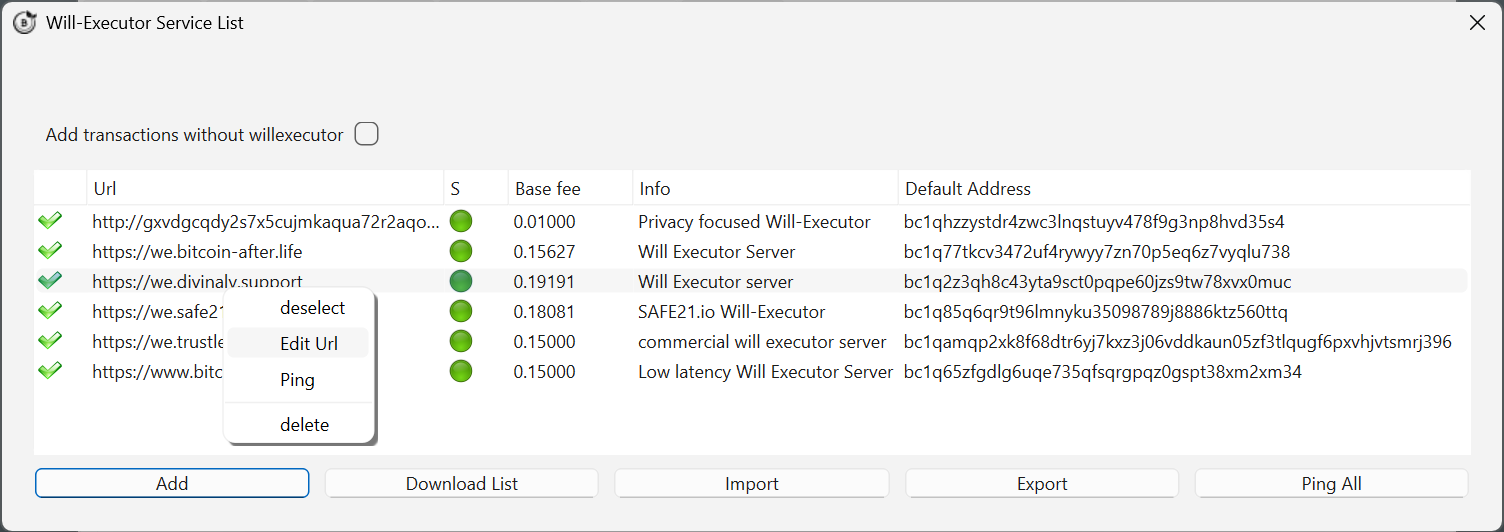 Right-click a row for per-server actions.
- Select — includes this Will-Executor in your inheritance (green check mark).
- Edit — edits the corresponding field.
- Ping — checks whether that server is online.
- Delete — removes it from your list.
How to choose well
- Quantity first. One transaction is created per selected server, and only one has to survive to the delivery date. Select generously.
- Ignore extremes on price. Too expensive eats into the inheritance; suspiciously cheap may not survive for years.
- Prefer diversity. Different operators, different hosting, different jurisdictions — the point of redundancy is that failures are uncorrelated.
- Re-check periodically. Use the Server column to confirm your wills are still stored, and renew the will if servers have disappeared.
Adding a server by hand
You are not limited to the WeList. Servers announced on BitcoinTalk or shared through alternative directories can be added manually with Add.